01
Shipment details
Origin, destination and ready date are captured first, giving pricing teams the essentials to identify suitable services.
Live tool
Choose a mode, enter your lane and cargo details, and request a rate in minutes.
Overview
Instant Quote lets you request a freight price in minutes. Choose ocean, air or road, enter origin, destination and cargo weight or volume, and submit a request with the details our pricing teams need to respond quickly and accurately.
Quotes are built around your cargo profile — equipment type, dangerous goods, temperature control or oversized dimensions — so the price reflects the service you actually need. Where several service levels are available, options are presented with their transit time and inclusions.
Rates depend on market conditions, capacity and surcharges that change over time, so each quote states its validity period and what is included. There is no obligation to book, and our specialists can refine a quote for recurring volumes or complex cargo.
Fast submission
Tool capability
Built for operational clarity
A focused set of capabilities helps teams move from information to an appropriate next action.
Origin, destination and ready date are captured first, giving pricing teams the essentials to identify suitable services.
Weight, volume, packaging and any special handling needs are recorded so the quote reflects your actual cargo.
Where options exist, compare economy, standard and priority services with their transit times and inclusions.
Freight, surcharges and local charges are shown separately so you can see what drives the total price.
Previous quotes are kept in your portal history, making it easy to repeat a request or compare rates over time.
For complex, regulated or high-volume cargo, a specialist follows up to tailor the solution and pricing.
Operational context
How it works
Follow these steps to use the tool responsibly and make the result actionable.
Select ocean, air or road freight for your shipment.
Provide origin and destination, ideally with postcode or port.
Add weight or volume, packaging and any special handling requirements.
Send the request; validity and inclusions are stated on the quote.
Compare options and proceed to booking when you are ready.
In operation
FSC digital tools support better coordination across transport and customer workflows. Access and available content depend on account permissions, route and operational data sources.

Connected logistics information


FAQ
Can't find what you're looking for? Our specialists are available around the clock.
Contact our teamKeep exploring
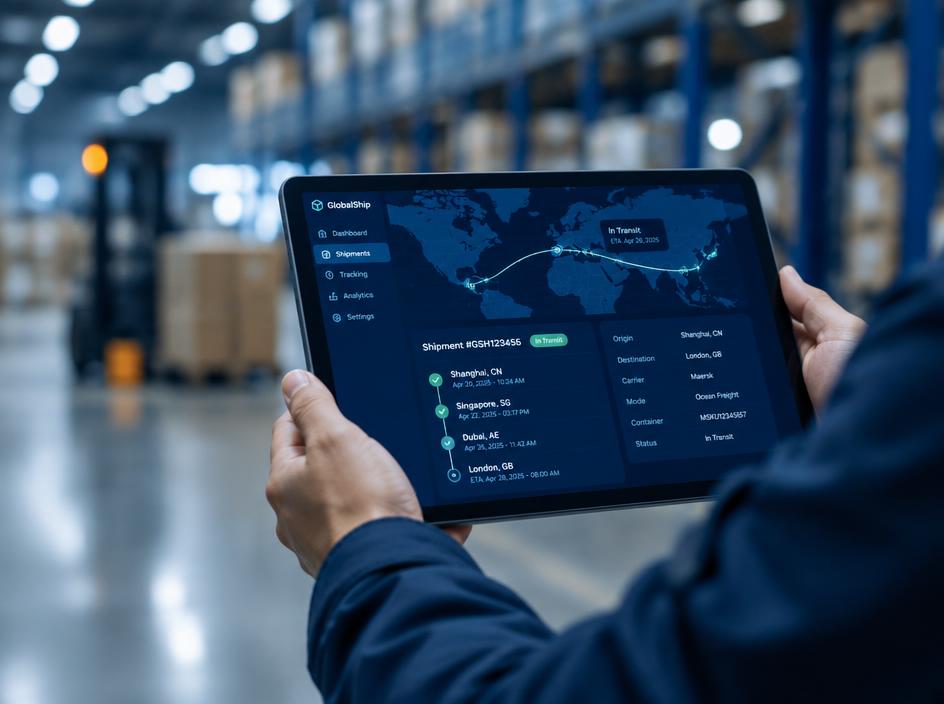 Track & Plan
Follow shipment milestones in one view, from booking confirmation through delivery and document availability.
Explore Track & Plan
Compare planned services and port connections to select a routing that fits your cargo priorities.
Explore Track & Plan
View vessel position and voyage context alongside the shipment information that matters to your team.
Explore
Speak with your FSC representative for operational guidance or access support.