01
Unified shipment view
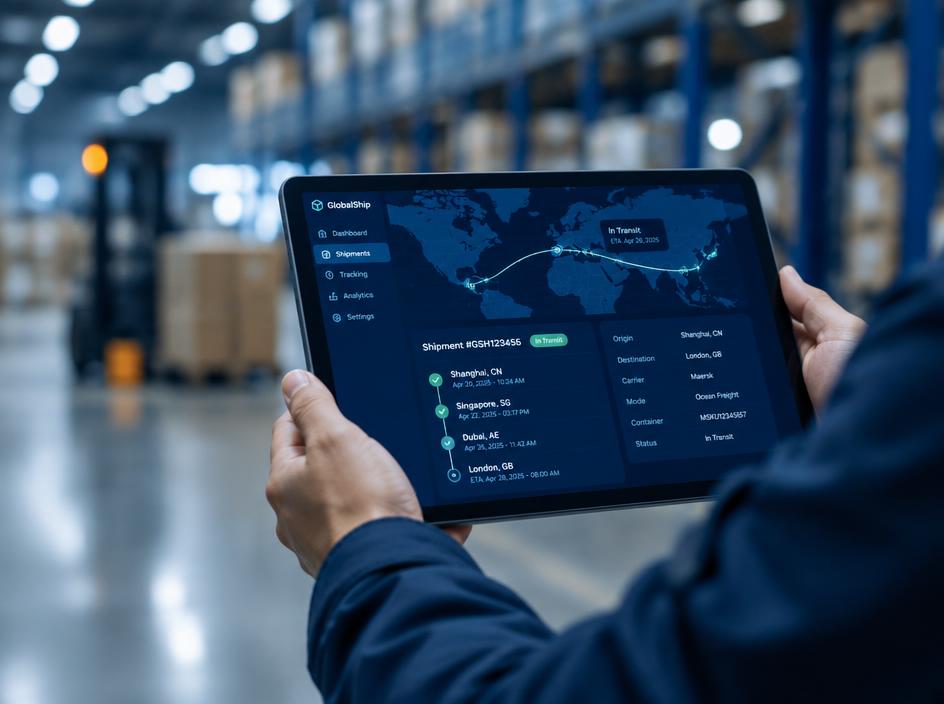
Container, bill of lading and air waybill references are shown in one consistent timeline, regardless of transport mode or the number of legs in the journey.
Live tool
Enter a container number, Bill of Lading or air waybill to follow every milestone.
Overview
Track & Trace brings every ocean, air and road shipment into one view. Search by container number, bill of lading or air waybill to see where cargo is, which milestones have been completed and what happens next — from booking confirmation and gate-in through vessel departure, arrival, customs release and delivery.
Each milestone is labelled as planned, estimated or actual, so teams know which dates are confirmed and which may still move. When a shipment deviates from plan — a rolled booking, a missed connection or a customs hold — the event is highlighted with context to help planners respond early.
Logistics, procurement and customer service teams can share the same view, reducing status-chasing emails and calls. For complex or time-critical cargo, your FSC operations contact remains available to explain events and coordinate recovery options.
Live milestones
Tool capability
Built for operational clarity
A focused set of capabilities helps teams move from information to an appropriate next action.
Container, bill of lading and air waybill references are shown in one consistent timeline, regardless of transport mode or the number of legs in the journey.
A complete record of completed events with location and timestamp, useful for supplier performance reviews, claims preparation and customer communication.
Delays, holds and changes are flagged with the reason where known, so planners can assess impact and decide on next steps before deadlines pass.
Shipment documents such as draft bills of lading, arrival notices and proof of delivery are linked to the shipment when they become available.
Authorised colleagues across logistics, finance and customer service see the same information, reducing duplicate enquiries and conflicting updates.
Search by any common reference format, with automatic recognition of container numbers, bills of lading and air waybills to reduce input errors.
Operational context
How it works
Follow these steps to use the tool responsibly and make the result actionable.
Type a container number, bill of lading or air waybill. The tool recognises the format and checks it before searching.
See origin, destination, mode, vessel or flight and the current status at the top of the shipment view.
Follow the timeline to see which events are actual, which are estimated and what the next expected milestone is.
Where an exception is flagged, review the reason and contact your FSC representative if a decision is needed.
Share the view with colleagues or subscribe to milestone notifications so changes reach you automatically.
In operation
FSC digital tools support better coordination across transport and customer workflows. Access and available content depend on account permissions, route and operational data sources.

Connected logistics information


FAQ
Can't find what you're looking for? Our specialists are available around the clock.
Contact our teamKeep exploring
 Track & Plan
Compare planned services and port connections to select a routing that fits your cargo priorities.
Explore Track & Plan
View vessel position and voyage context alongside the shipment information that matters to your team.
ExploreTrack & PlanEstimate end-to-end transit windows using origin, destination, mode and routing assumptions.
Explore
Speak with your FSC representative for operational guidance or access support.